December 02, 2006

Palm Treo 680


I thought I wouldn't go back to Palm. But I did.

I liked the software but, the hardware always had issues (not very sturdy, short battery life). Not to mention Palm having changed their name to PalmOne. That was just lame.

My last Palm was the Zire 72. Overall it was good. The screen was big and readable. But it didn't have a keyboard, so I had to scratch-type using the Graffiti handwriting recognition feature. But worse there was no battery backup, so when the battery runs out, everything goes. It only took two times for that to happen for me to give up on the Zire altogether.

The Treo 650 was tempting. 2nd generation, perfecting on the Treo 600. Phone as well as PDA. But I know people who have problems with voice quality and crashes. Most smart phones have issues or design flaws, but they're getting better as a whole. The Treo 700 came out, but only on Verizon. I'm on Cingular, and I want GSM so I can use the device overseas.

Then came the Treo 680.

It's smaller than other Treos but still bigger than most phones. It seems like they've worked out most of the rough edges from the 600 and 650. Palm is targeting this phone at non-techies, so it must be reliable and easy to use. I want that, plus all the potential of PalmOS and the cool but simple Palm PDA apps (Calendar, Contacts, Memo, Todo).

Other smart phones I considered:
  • Nokia E70 & E62 - I like Nokia alot. I think they spend alot of attention to usability. But I'd heard the Symbian OS used in their higher end models was sluggish. I tried it out and it is. Apps take too long to load and respond to actions. Not for me. Plus these devices don't have a touchscreen and rely solely on a four-way mini joystick.
  • Windows Mobile - Pro: Same OS as your PC. Con: Same OS as your PC.
  • Blackberry - Strong email client, but not much else. I like that there are many apps for PalmOS.
Treo 680 pros:
  • Good screen. Decent size, bright and readable.
  • Keyboard. A little small, but hey it's a mobile device.
  • It doesn't lose everything when the battery runs out. Yay!!
  • Great PalmOS and included apps. The GUI could use a little pizazz, but it works. And it's fast (compared to Symbian).
  • The email and browser work pretty well. It ain't a desktop, but for me it eliminates the need for a mini-notebook. I was pleasantly surprised when I was able to download and play a podcast from TWiT. It was even able to listen to live streaming audio from a local radio station, KFI 640. (Yes, I'm a Laporte fan.)
Like all Palm devices, you can either use the included Palm Desktop software or sync with Outlook. I find the Palm software a little lacking (and hard to access unless you're always at the PC it's installed on), and Outlook is a resource hog. Fortunately there are other choices- you can sync with Yahoo, for instance. That gives you online access anywhere, via the Web or Treo. Yahoo uses a program called Intellisync which uses the Palm software to sync, but lets you edit your contacts, calendar, etc. in your My Yahoo account.

I also configured my Nokia Bluetooth headset to work with it. Piece of cake. And dial-up networking with my Dell Inspiron 9400. That was not as easy, but once you get it set up you can get connected quickly.

Treo 680 Cons:
  • The battery runs out fast. Real fast! Like 2 days with minimal use. Pretty lame, but I can live with it.
  • The camera is awful. But it's better than the one I had in my Nokia 6820. :)
  • No WiFi. But do you really need it? What could you possibly want to do on that tiny screen that would require such bandwidth?
  • The case seems fragile. I hope I don't ever drop it because it feels like it would shatter into a million pieces.
Issues:
Not all phones are perfect. I did have a few problems where call volume was too low. But the next call was okay. Also it seemed to lose bluetooth settings once, but has worked fine ever since.
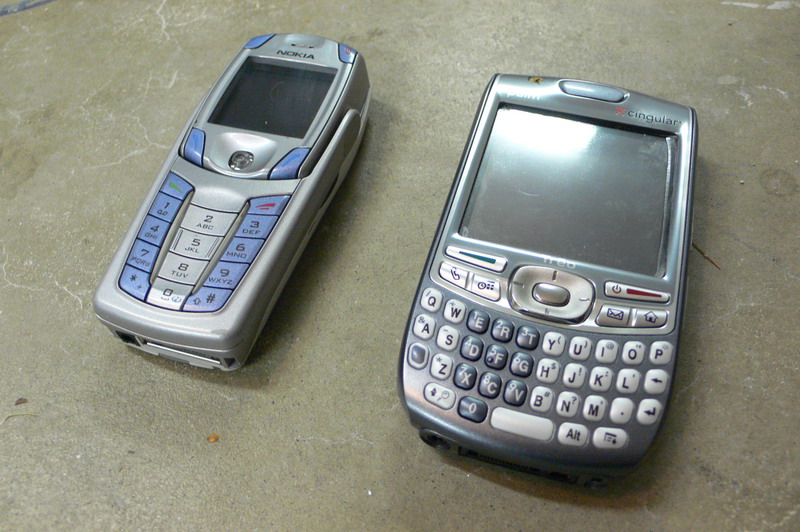
Size comparison: My old Nokia 6820 and Treo 680.

Airport Express


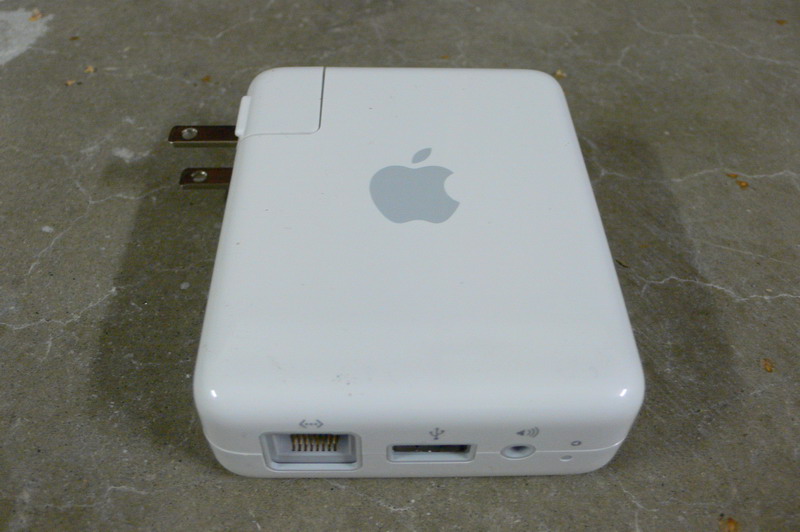
The AirPort Express. This is one funky device. It has an ethernet port, USB and an audio out. And it's wireless (WiFi).

What is it? For Mac users mostly, it's a wireless router. Just without the line of blinking lights. Only one status light. Green is good. Red is bad.

But for Mac and PC, it can also act as remote speakers via WiFi/LAN.

Huh?

Yeah, you plug it into your home stereo, set up networking and run iTunes. iTunes sees it and lets you route audio via your network to the Airport.

Why would you use this instead of just plugging your iPod into the stereo? Well, it lets you use iTunes to pick music, which is easier to use than the iPod (more geared to mobile use). And if you happen to have a huge music library that's bigger than your iPod hard drive, you don't have to choose which songs to use from the whole collection. Just play it all. And it's cheaper than a new iPod.

Since it's networked, you can start something playing at your computer, then "move" the music to another room, or play it both locally and remotely. Pretty cool.

Setup was a little tricky. The first time around the device just went dead. I thought I had killed it. But I found the reset button and tried again and it's been working ever since.

November 12, 2006

Dell Inspiron 9400: Bye bye desktop


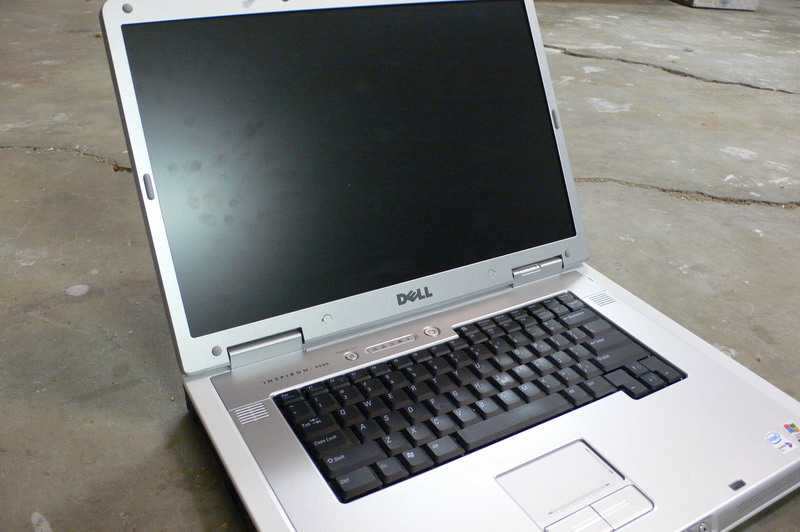
I've been a Dell Inspiron owner for quite a few years now. 7500, 8200, 9300 and now the 9400.

But like most notebook owners, I had to keep a desktop PC around for heavy duty stuff like 3d animation rendering, editing video and playing games. But with the 9400, the notebook has just about caught up with the desktop. The latest Intel Core 2 Duo processor and NVidia bring the notebook really close to the realm of desktop performance. I still have a mini-tower, but use it alot less now.

My Inspiron Specs:
  • Core 2 Duo processor T7200 (4MB/2.00GHz/667MHz)
  • 17 inch Wide Screen XGA+ Display
  • 1GB Shared Dual Channel DDR2 SDRAM at 533MHz
  • 256MB NVIDIA GeForce Go 7900 GS
  • 100GB 7200RPM SATA Hard Drive (fast drive plus fast bus speed)
  • Windows XP Professional
  • Integrated 10/100 Network Card and Modem
  • Intel PRO/Wireless 3945 Internal Wireless (B & G)
  • 80 WHr 9-cell Lithium Ion Primary Battery (upgraded from standard battery)
  • Dell Wireless 355 Bluetooth Internal (for wireless mouse and cellphone-as-modem)
The screen is the same as the 9300 I had last year. Like then, I went for the lower res option of 1440x900 (vs 1920x1200). I struggled over the decision to go with a smaller screen this time. The 17" wide model is huge compared to other notebooks, and it's hard to find a case or backpack that fits it (even some that are advertised for 17" screens didn't fit-- I recommend brining your notebook to the store when shopping for a case). But as a desktop replacement, the big screen is the right choice.

At the time the graphics selection was between a lower end ATI chipset and a high end NVidia. Naturally I went with high end, but would have done so anyway regardless of which chip it was.

The 100GB drive was a good balance of cost/storage/speed. I'd rather have a smaller faster drive than a slow big one. You can always add external drives anyway.

The keyboard feels really good. I prefer it to a regular keyboard actually.

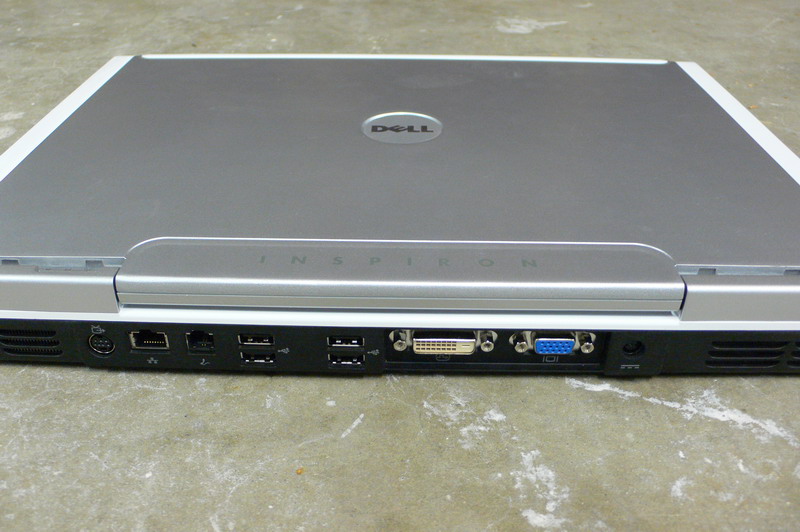
Connectors:

  • 6 USB (more than enough- 4 here 2 on the side)
  • Both RGB & DVI (nice!)
  • 1 S-Video
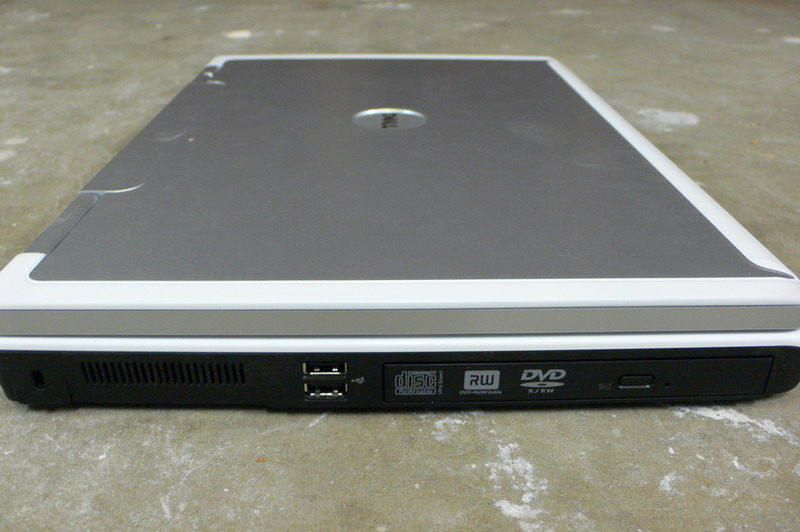
I've hooked it up to our new plasma screen with a DVI to HDMI cable. It looked excellent. You can find DVI to HDMI cables for around $30-40 at most computer stores.

  • Two more USBs
  • CD/DVD R/W
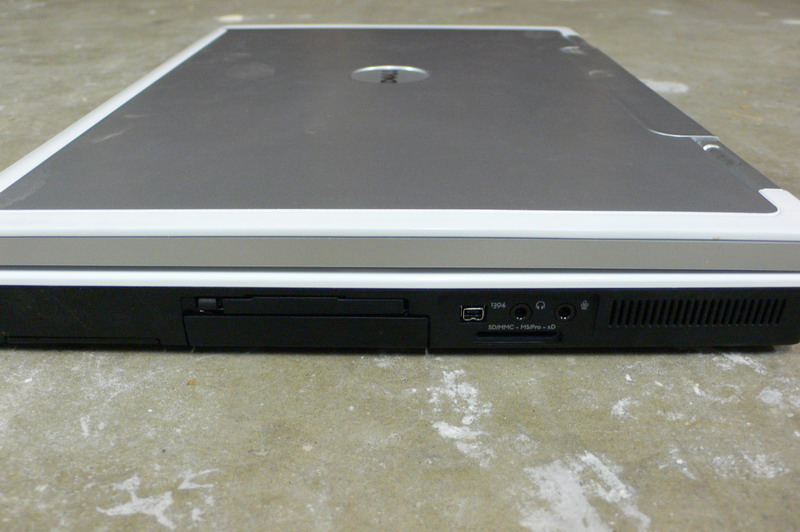
  • 1 Firewire (mini connector)
  • SD-Card (useful w/digital cameras)
  • Mini audio in/out (standard)
Ordering from Dell.com is fun, since you get to customize the features. While building your Dell it always gives a super conservative delivery time. Only after you make the purchase does it give an accurate date which is always sooner than the estimated one.